
Enroll a student in a training program
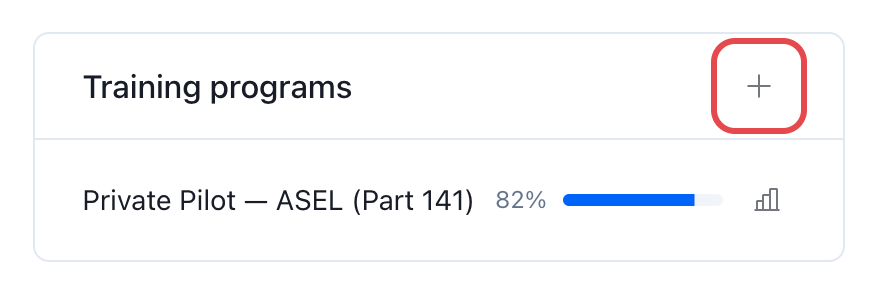
To enroll a student, open the student profile. In the Training programs card, click the plus icon, select the program and click Enroll.
Before you start
The training program must exist. See Create a training program.
Enroll a student
- In the sidebar, click Students > All students.
- Click the name of the student.
- On the Overview tab, in the Training programs card, click the plus icon (Enroll in a new training program).
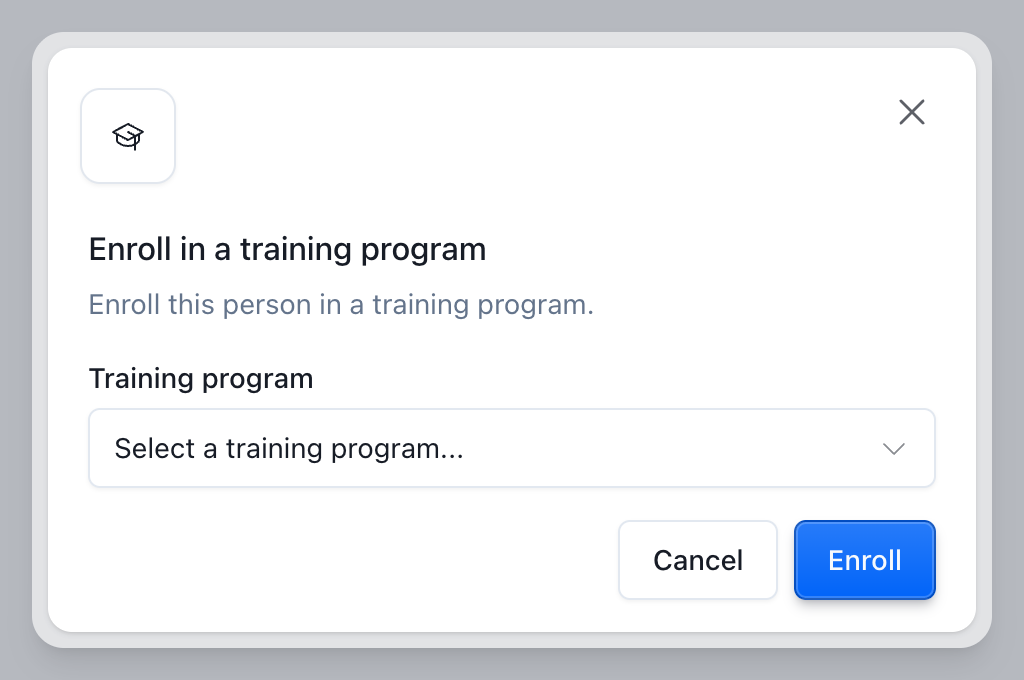
- In Training program, select the program.
- Click Enroll.
The message Enrolled in training program successfully shows. The program shows in the Training programs card with the completion percentage.
Change the enrollment dates
- On the student profile, click the Progress tab.
- Select the program.
- Click the more menu (⋮) on the right.
- Click Edit.
- Change the Enrollment date or the Completion date. Leave the Completion date empty if the program is not complete.
- Click Save changes.
Delete an enrollment
- On the student profile, click the Progress tab.
- Select the program.
- Click the more menu (⋮) on the right.
- Click Delete.
- Click Delete to confirm.
WARNING: When you delete an enrollment, Tailplane permanently removes all details of the training program from the student profile. You cannot undo the deletion.
Things to know
- The enrollment date is the current date. To change it, edit the enrollment.
- A student can be enrolled in more than one program.
- You cannot enroll a student again in a program that the student has not completed. After the student completes the program, you can enroll the student again.
- If no programs exist, the dialog shows No training programs exist yet.
- After you enroll the student, the activities of the program show in the Activity field of a new booking for the student. See Create a booking.
- In the Training programs card, click the chart icon (View progress) to open the progress of the program. See Track a student's progress.
- The Enrollments column on the Training programs page shows the number of students in each program.